





Remote Signaling System for Your Home
 Picture this: you are working in your home office, maybe in the basement or on 2nd floor, your wife (or husband) is cooking dinner, and the kids are screaming, but you are oblivious to it. Maybe you have some music on, or are just too far removed from the “action”. Your wife, needing some assistance, calls you once, then twice, and finally storms into your office wondering why are ignoring her. Sound familiar? This no longer happens in our house since I setup a way for my wife to signal me remotely, using X10 technology. (more…)
Television: The New Movies
 Technology is once again changing the face of personal entertainment. Not long ago, the only place one could go to experience epic stories brought to life on a big screen with heart pounding acoustics was the local movie theater. Today, with the growing commonality of big screen TVs utilizing new technologies such as plasma and LCD projection, as well as home theater surround-sound systems, one can experience this in the comfort of home. (more…)
How to Create a Virtual CD Drive (Windows XP)
 Long ago, software companies enforced copy protection by requiring that the original product CD be inserted with each usage. When copying CDs in their entirety became commonplace, the software giants turned to other methods, mostly centered around internet-based authentication. However, when I installed several games for my son on our new computer, I found that the old practice still persisted. Several games made by different manufacturers all required that the CD be inserted to run them. Since he is too young to be handling CDs, I was motivated to find a solution to this problem. (more…)
TiVo vs. Windows Media Center
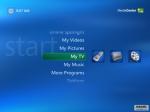
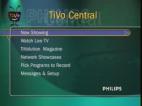 There are two basic ways to enter the world of the Personal Video Recorder (PVR): through a dedicated hardware unit, like a TiVo or ReplayTV, or through a software-based PVR that runs on your home computer, like Windows: Media Center Edition (WMCE) or MythTV. In this article I will compare the most popular form of each platform, TiVo and WMCE, to help you figure out which one would be best for you. (more…)
Travelling with Movies on a Mac
 There are several situations where you might want to dump a DVD to your hard drive to watch later. For instance, I get significantly better battery life when watching a video from my hard drive than I get when watching it from a DVD. If I’m stuck in a plane for several hours, having my movie on the hard drive can be the difference between finishing the show, or running out of power halfway through. I use a PowerBook and in OS X 10.3 and earlier you could just use the built in Disk Utility to copy a DVD to your disk, but it stopped working in 10.4. However with a few free tools you can accomplish the same thing and more.
(more…)
TiVo: Focused TV
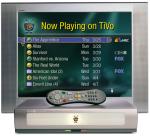 Have you ever sat down in front of the TV after a long day, hoping to find an interesting show, only to end up surfing channels for a few minutes and then turning it off? Have you ever caught yourself saying “I have 70 channels, and there is nothing on!” Friends, there is a solution to this problem: the Personal Video Recorder (PVR), the most common version known as TiVo. (more…)
